

About the screenshots
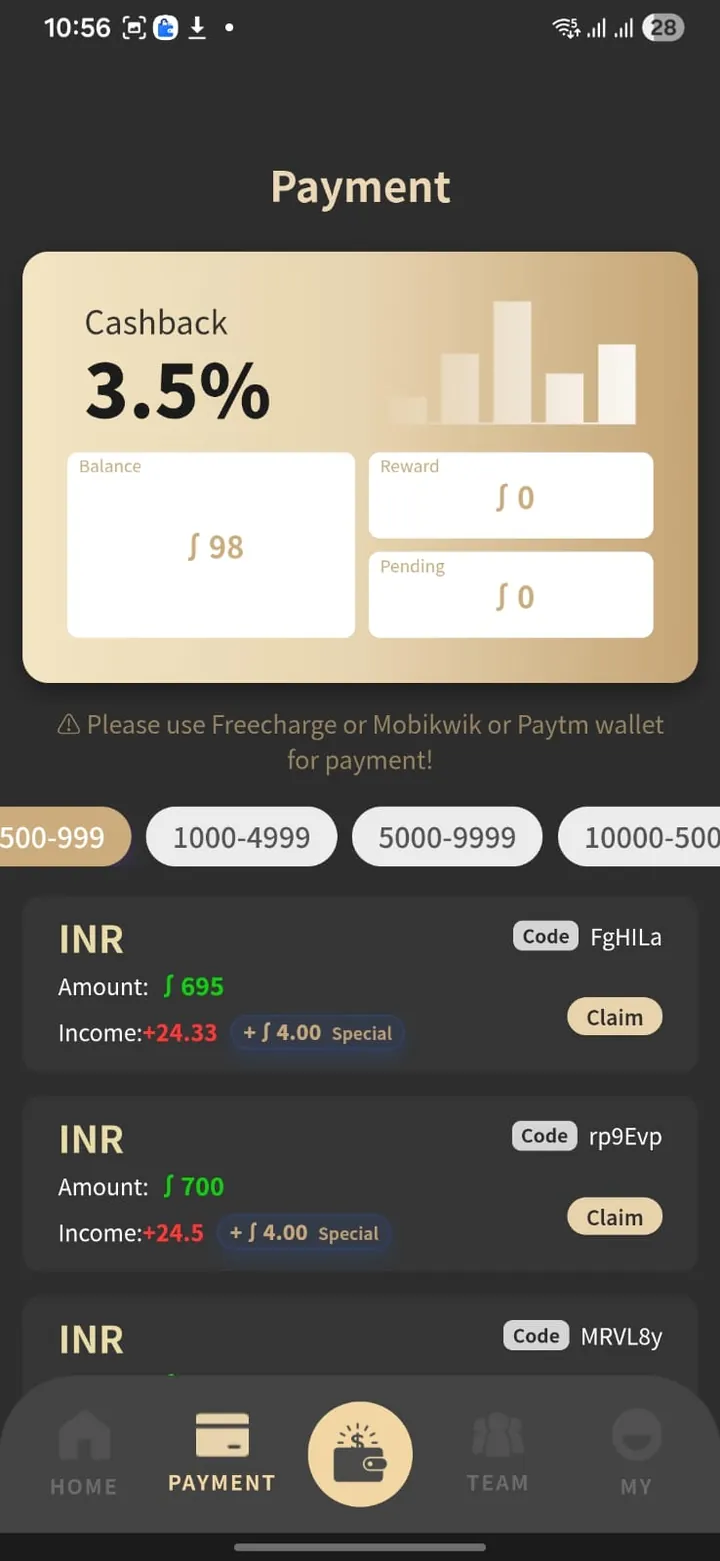
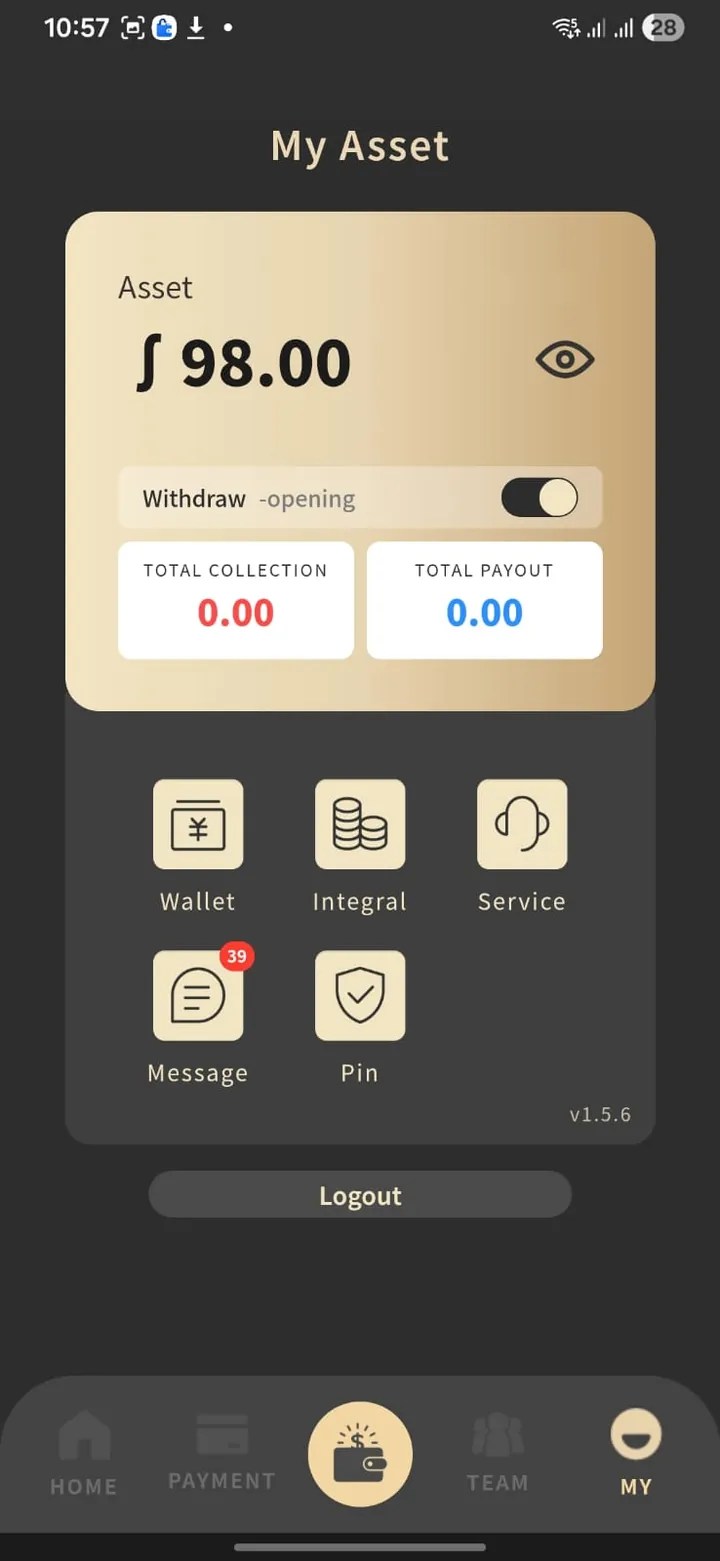
Screenshot observation Three screenshots were supplied as Shakti Pay material. Each shows a mobile app branded AlphaPay, version 1.5.6, with Home, Payment, Team and My tabs. This guide can’t confirm that AlphaPay and Shakti Pay are the same app, who operates either, or when the screenshots were taken.
The username and account ID have been removed. Amounts in the app use a “∫” symbol; the Payment screen labels the orders INR. Select a screenshot to enlarge it.
-
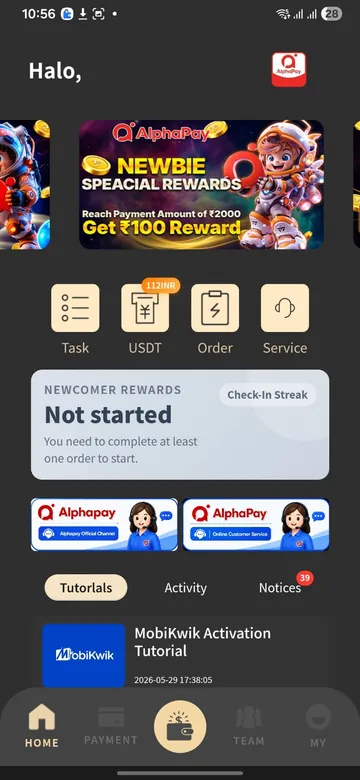
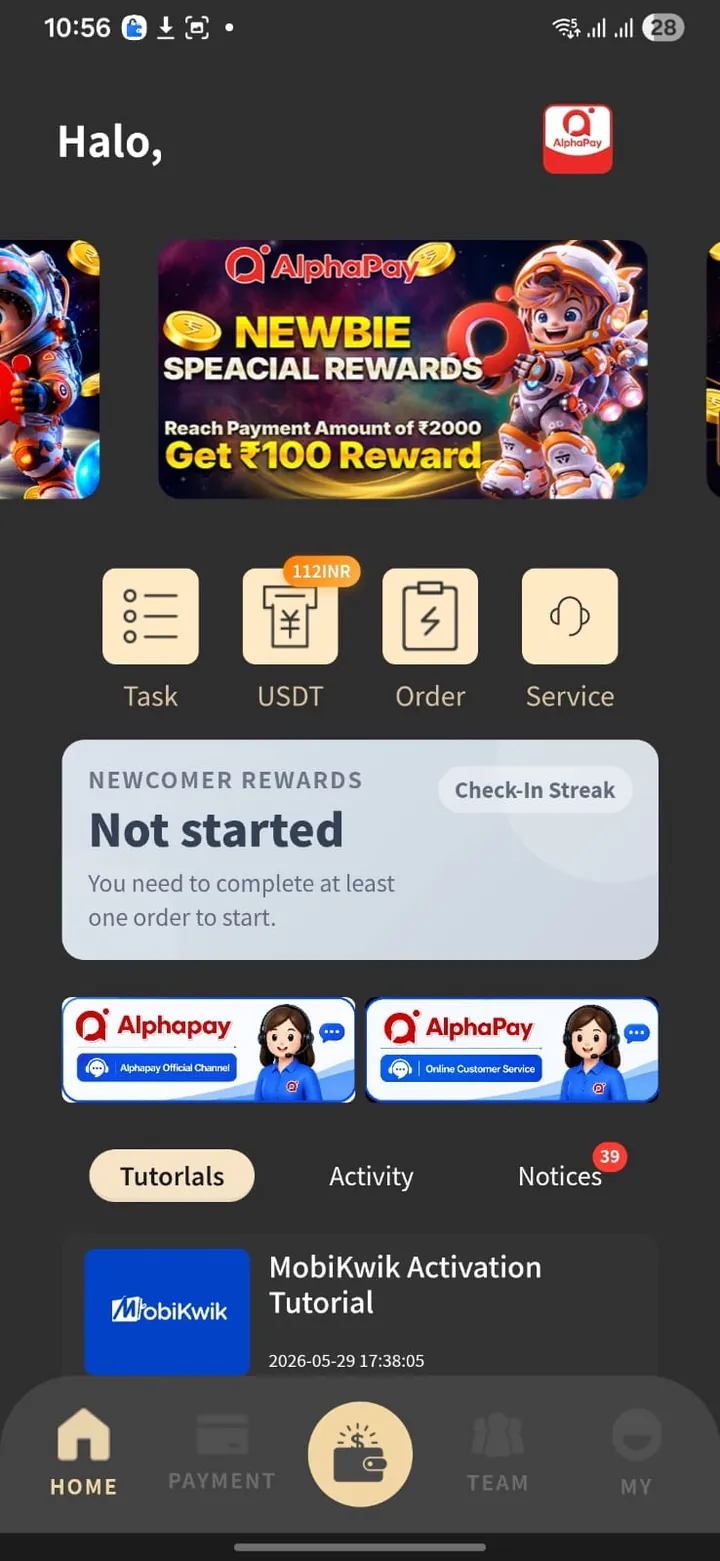
Home
- A “newbie” banner offering a ₹100 reward for reaching ₹2,000 in payments.
- Buttons for Task, USDT (marked “112INR”), Order and Service.
- A “Newcomer rewards” panel: “You need to complete at least one order to start.”
- Links to an “official channel” and “online customer service”, and a “MobiKwik Activation Tutorial”.
-
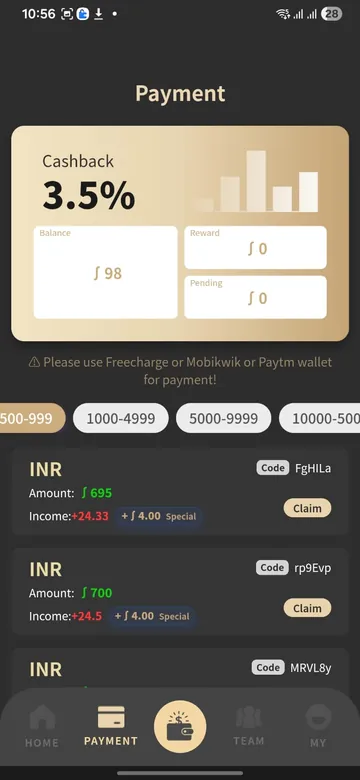
Payment
- “Cashback 3.5%” with Balance 98, Reward 0 and Pending 0.
- A warning line: “Please use Freecharge or Mobikwik or Paytm wallet for payment!”
- Amount bands: 500–999, 1000–4999, 5000–9999 and a band starting at 10000 (cut off in the screenshot).
- INR orders, each with a code, an amount, an “Income” figure, a “Special +4.00” bonus and a Claim button. Income of 24.33 on 695 and 24.5 on 700 are both 3.5%.
-
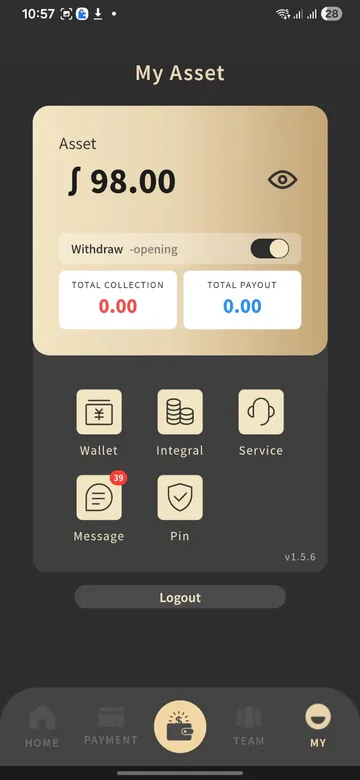
My Asset
- Asset 98.00 and a “Withdraw – opening” toggle.
- Total collection 0.00 and total payout 0.00.
- Buttons for Wallet, Integral, Service, Message (39 unread) and Pin, then Logout.
Feature by feature
| Feature | What the screen shows | What it doesn’t tell you |
|---|---|---|
| Claim INR orders | Orders by amount band, each with a Claim button | Who created the order, who receives your payment, and why |
| 3.5% income | A per-order “Income” equal to 3.5% of the amount | Who pays it, and whether it can be withdrawn |
| Wallet instruction | Pay with a Freecharge, MobiKwik or Paytm wallet | Any agreement with those companies; none is shown |
| USDT at ₹112 | A USDT button marked “112INR” | Who buys the USDT, what fees apply, and how you are paid |
| Newbie and team rewards | ₹100 after ₹2,000 of payments; a Team tab | Reward conditions, and what the Team tab asks you to do |
| Withdraw | A toggle labelled “opening” | Whether withdrawals work, limits, fees or timing |
| Customer service | Buttons for an official channel and online service | Who staffs them, or any grievance officer |
What screenshots can’t prove
- Identity. No company name, address or registration number appears on any screen.
- Licences. No screen shows an RBI authorisation or an FIU-IND registration.
- Balances. A balance on screen is a number in the app, not money in a bank account.
- Freshness. These show one account at one time. Features, rates and rules can change.
Unverified Treat claims about earnings, user numbers, approvals or safety that come with an invite as unproven until you have checked them. How to check a platform.